Every month, I write a newsletter which (among other things) discusses some of the technical projects I’ve been working on. It’s a useful exercise — partly as a record for other people, but mostly as a way for me to remember what I’ve actually done.
Because, as I’m sure you’ve noticed, it’s very easy to forget.
So this month, I decided to automate it.
(And, if you’re interested in the end result, this is also a good excuse to mention that the newsletter exists. Two birds, one stone.)
The Problem
All of my Git repositories live somewhere under /home/dave/git. Over time, that’s become… less organised than it might be. Some repos are directly under that directory, others are buried a couple of levels down, and I’m fairly sure there are a few I’ve completely forgotten about.
What I wanted was:
- Given a month and a year
- Find all Git repositories under that directory
- Identify which ones had commits in that month
- Summarise the work done in each repo
The first three are straightforward enough. The last one is where things get interesting.
Finding the Repositories
The first step is walking the directory tree and finding .git directories. This is a classic Perl task — File::Find still does exactly what you need.
|
1 2 3 4 5 6 7 8 9 10 11 12 13 14 15 16 |
use v5.40; use File::Find; sub find_repos ($root) { my @repos; find( sub { return unless $_ eq '.git'; push @repos, $File::Find::dir; }, $root ); return @repos; } |
This gives us a list of repository directories to inspect. It’s simple, robust, and doesn’t require any external dependencies.
(There are, of course, other ways to do this — you could shell out to fd or find, for example — but keeping it in Perl keeps everything nicely self-contained.)
Getting Commits for a Month
For each repo, we can run git log with appropriate date filters.
|
1 2 3 4 5 6 7 8 9 10 11 |
sub commits_for_month ($repo, $since, $until) { my $cmd = sprintf( q{git -C %s log --since="%s" --until="%s" --pretty=format:"%%s"}, $repo, $since, $until ); my @commits = `$cmd`; chomp @commits; return @commits; } |
Where
$since and $until define the month we’re interested in. I’ve been using something like:
|
1 2 |
my $since = "$year-$month-01"; my $until = "$year-$month-31"; # good enough for this purpose |
Yes, that’s a bit hand-wavy around month lengths. No, it doesn’t matter in practice. Sometimes “good enough” really is good enough.
A Small Gotcha
It turns out I have a few repositories where I never got around to making a first commit. In that case, git log helpfully explodes with:
fatal: your current branch ‘master’ does not have any commits yet
The fix is simply to ignore failures:
|
1 |
my @commits = `$cmd 2>/dev/null`; |
If there are no commits, we just get an empty list and move on. No warnings, no noise.
This is one of those little bits of defensive programming that makes the difference between a script you run once and a script you’re happy to run every month.
Summarising the Work
Once we have a list of commit messages, we can summarise them.
And this is where I cheated slightly.
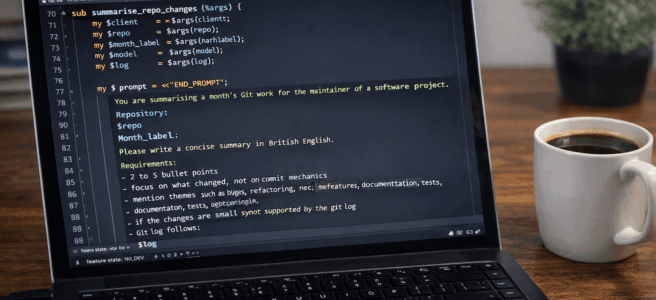
I used OpenAPI::Client::OpenAI to feed the commit messages into an LLM and ask it to produce a short summary.
Something along these lines:
|
1 2 3 4 5 6 7 8 9 10 11 12 13 14 15 16 17 18 19 |
use OpenAPI::Client::OpenAI; sub summarise_commits ($commits) { my $client = OpenAPI::Client::OpenAI->new( api_key => $ENV{OPENAI_API_KEY}, ); my $text = join "\n", @$commits; my $response = $client->chat->completions->create({ model => 'gpt-4.1-mini', messages => [{ role => 'user', content => "Summarise the following commit messages:\n\n$text", }], }); <span class="ͼg"> return</span> <span class="ͼm">$response</span><span class="ͼg">-></span><span class="ͼf">choices</span><span class="ͼg">-></span>[<span class="ͼj">0</span>]<span class="ͼg">-></span><span class="ͼf">message</span><span class="ͼg">-></span><span class="ͼf">content</span>; } |
Is this overkill? Almost certainly.
Could I have written some heuristics to group and summarise commit messages? Possibly.
Would it have been as much fun? Definitely not.
And in practice, it works remarkably well. Even messy, inconsistent commit messages tend to turn into something that looks like a coherent summary of work.
Putting It Together
For each repo:
- Get commits for the month
- Skip if there are none
- Generate a summary
- Print the repo name and summary
The output looks something like:
|
1 2 3 4 5 6 7 |
my-project ----------- Refactored database layer, added caching, and fixed several edge-case bugs. another-project --------------- Initial scaffolding, basic API endpoints, and deployment configuration. |
Which is already a pretty good starting point for a newsletter.
A Nice Side Effect
One unexpected benefit of this approach is that it surfaces projects I’d forgotten about.
Because the script walks the entire directory tree, it finds everything — including half-finished experiments, abandoned ideas, and repos I created at 11pm and never touched again.
Sometimes that’s useful. Sometimes it’s mildly embarrassing.
But it’s always interesting.
What Next?
This is very much a first draft.
It works, but it’s currently a script glued together with shell commands and assumptions about my directory structure. The obvious next step is to:
- Turn it into a proper module
- Add tests
- Clean up the API
- Release it to CPAN
At that point, it becomes something other people might actually want to use — not just a personal tool with hard-coded paths and questionable date handling.
A Future Enhancement
One idea I particularly like is to run this automatically using GitHub Actions.
For example:
- Run monthly
- Generate summaries for that month
- Commit the results to a repository
- Publish them via GitHub Pages
Over time, that would build up a permanent, browsable record of what I’ve been working on.
It’s a nice combination of:
- automation
- documentation
- and a gentle nudge towards accountability
Which is either a fascinating historical archive…
…or a slightly alarming reminder of how many half-finished projects I have.
Closing Thoughts
This started as a small piece of automation to help me write a newsletter. But it’s turned into a nice example of what Perl is still very good at:
- Gluing systems together
- Wrapping command-line tools
- Handling messy real-world data
- Adding just enough intelligence to make the output useful
And, occasionally, outsourcing the hard thinking to a machine.
The code (such as it is currently is) is on GitHub at https://github.com/davorg/git-month-summary.
If you’re interested in the kind of projects this helps summarise, you can find my monthly newsletter over on Substack.
And if I get round to turning this into a CPAN module, I’ll let you know – well, if you’re subscribed to the newsletter!
